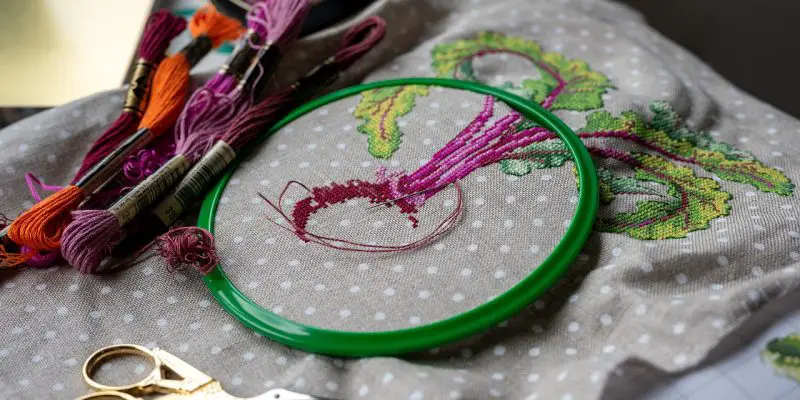
How to Design Your Own Cross-Stitch Pattern
Creating your own cross-stitch pattern is one of the most rewarding parts of needlework. Instead of relying only on pre-made charts, you can stitch exactly what you imagine — whether it’s a favorite quote, a family photo, or a minimalist modern design for your craft room wall. And the best part? You don’t need to be an artist to make something beautiful.
In this guide, I’ll walk you through how to design your own cross-stitch patterns from scratch. From choosing your concept all the way to printing your finished chart. Whether you prefer paper and pencil or digital tools, you’ll be able to create something you love stitching.
Why Make Your Own Cross-Stitch Pattern?
- You get a custom, one-of-a-kind design
- You can turn photos into stitchable artwork
- You can make perfectly sized pieces for hoops, frames, or gifts
- It’s a creative break that pairs beautifully with knitting, crocheting, or other fiber arts
- You can even sell your original patterns (hello Etsy side hustle!)
If you enjoy DIY craft design, check out our other tutorials like Beginner Knitting Patterns for Scarves or Craft-Room Organization Ideas.
Step 1: Choose Your Design Concept
Start with a simple idea. The more clarity you have now, the easier the patterning process will be. Ask yourself:
- Do I want a text-based pattern (quotes, names, monograms)?
- Am I creating a graphic image (flowers, animals, motifs)?
- Do I want to convert a photograph into a pattern?
- Will the style be realistic, pixel-style, or minimalist?
If you’re new to designing, I recommend starting with something small and bold — text, silhouettes, or geometric motifs are ideal.
Step 2: Choose Your Tools
You can make cross-stitch patterns using:
Option A: Free or Paid Digital Tools
These take your idea or photo and instantly convert it into a grid:
- StitchFiddle (free + premium options)
- Pattern Keeper (for organizing patterns)
- PCStitch (paid software, very popular)
- Canva + pixel grid (surprisingly easy!)
These tools allow you to:
✔ Upload images
✔ Select color limits
✔ Reduce pixel count
✔ Export PDFs
✔ Automatically generate the grid
Great for beginners, and perfect for turning photos into patterns.
Option B: Manual Graph Paper Method
If you prefer designing by hand, grab:
- Graph paper (10×10 grid)
- Pencil + eraser
- Coloring pencils (optional)
- Ruler
Print free cross-stitch graph paper online, or use a notebook designed for stitchers.
This method gives you the most control over each stitch — and it’s calming and creative.
Step 3: Determine the Size of Your Pattern
Size is determined by:
✔ The stitch count
This is the total number of grid squares wide × tall.
Example:
80 stitches wide × 60 stitches tall
✔ Your fabric’s stitch count
Common options include:
- 14-count Aida (most common)
- 16-count Aida
- 18-count Aida
- Evenweave (28ct = stitches over 2 threads)
How to calculate finished size:
Stitches ÷ fabric count = inches
Example:
80 stitches ÷ 14-count = 5.7 inches
Tip: If you want a beginner-friendly project, stick to:
- Less than 100×100 stitches
- No more than 10 colors to start
Step 4: Create or Upload Your Image
If Using Digital Software
Upload your photo or drawing.
The program will let you:
- Crop the image
- Reduce the colors
- Adjust contrast and detail
- Choose a color palette (DMC is standard)
- Simplify complex areas
Start with fewer colors — 10–20 colors is ideal for clarity.
If Designing by Hand
Sketch or trace your design onto graph paper.
Turn every important shape into square “pixels.”
Tip: Outline shapes in darker pencil — this helps you stay within the grid.
Step 5: Choose Your Color Palette
Most stitchers use DMC embroidery floss, and every digital tool allows you to match exact DMC codes.
When choosing colors:
- Use bold contrast for readability
- Avoid too many shades of the same tone
- Make sure the design looks good zoomed out
If you’re converting a photo:
- Reduce the colors until the image still looks recognizable
- Increase contrast for facial features, lettering, and shading
Step 6: Add Backstitch (Optional but Beautiful)
Backstitch outlines are used to:
- Define facial features
- Add details without pixel clutter
- Make shapes pop
- Create text or thin lines
For beginners, stick to simple outlines — too much backstitch can overwhelm the design.
Step 7: Finalize Your Pattern Layout
Your finished cross-stitch pattern should include:
- A stitched preview image
- A numbered grid
- A symbol key
- Color list (DMC numbers)
- Stitch count
- Estimated floss usage
- Recommended fabric size
- Optional backstitch diagrams
Most digital tools will generate this for you with one click.
If you’re creating patterns to sell, clean formatting is everything!
Step 8: Test Your Pattern (or Have a Friend Test It)
Before stitching a large or complex design:
- Check for errors in the grid
- Confirm color contrast
- Make sure symbols aren’t confusing
- Stitch a small test section
Pattern testers are a huge help if you plan to sell or publish your design.
Step 9: Print or Export Your Pattern
Export your pattern as:
- A PDF
- A PNG (for social media or Etsy previews)
- A high-resolution JPEG
Pro tip:
Create a Pinterest-optimized image using your finished pattern preview to drive traffic to your blog or Etsy shop.
💡 Tips for Stunning DIY Cross-Stitch Patterns
- Keep your first pattern simple
- Choose clear, bold shapes
- Avoid too many half-tones
- Test colors before finalizing
- Limit yourself to 10–15 floss colors
- Zoom out often to see if the image makes sense
Cross-stitch is pixel art! The simpler the shapes, the better.
Recommended Supplies for Pattern Designers
(Perfect for affiliate links)
- DMC Embroidery Floss Packs
- 14-Count Aida Fabric
- Embroidery Hoops
- Graph Paper Notebooks for Cross-Stitch
- Fine-tip mechanical pencils
- PCStitch or StitchFiddle Premium
Add these as product boxes or links for optimized affiliate CTR.
Final Thoughts: Designing Your Own Cross-Stitch Pattern Is Easier Than You Think
Whether you want to make a personalized gift, recreate a favorite landscape, or launch your own pattern shop, learning how to design cross-stitch patterns opens up an entire creative world.
Start with something small, experiment with tools, and enjoy the process. The moment you stitch your first custom design, you’ll understand why so many makers fall in love with pattern creation.
If you want more tutorials like this, let me know — I can also create:
✔ How to Turn Photos Into Cross-Stitch Patterns
✔ A Free Printable Cross-Stitch Graph Paper
✔ A Beginner’s Guide to Embroidery Floss Colors
✔ How to Start Selling Cross-Stitch Patterns Online